Most Common Questions...
Thank you for visiting our site. We know that a lot of this is 'new' and that many of you might have questions. Please look through the most common questions being asked and look through images and the videos provided.
If there is still a questions, please contact us and let us know what we can do.
- How do I become a member of the Oklahoma Coaches Association?
- How can I pay for my membership?
- What is the "MEMBER LOGIN" and "MEMBERSHIP HUB?"
- How do I get my Digital Membership card for me and my guest?
- I didn't get my Digital Membership Pass (or my Guest's Pass), what can I do?
- How do I access and use the Job Board or the Games Needed Board?
How do I become a member of the Oklahoma Coaches Association?
Anyone can become a member of the OCA by navigating to the main home page of our website (www.oklahomacoaches.org), click on the MEMBER drop-down menu, choose the option "MEMBER APPLICATION," and complete the fields with your information.
Most coaches become a member through the school that they will be coaching. In which case someone from that school's admin (superintendent, principal, athletic director, head coach, etc.) will provide a list of approved coaches that they enter into their Membership Hub and sent to the OCA for processing.
Others (retired coaches, inactive coaches, etc.) may become a member by paying for their membership online themselves.
How can I pay for my membership?
OPTION 1: You can pay for your membership with a credit card (school or personal) and immediate have your membership paid for (you can get a receipt for this in your email that you provided).
[Note... you will not receive your Membership Card right away... but it will be delivered to you in an hour or so. (See DIGITAL MEMBERSHIP CARDS below...)
OPTION 2: You CAN pay for your membership through a school/district's Purchase Order. However, there are a few more steps that are involved with this. Once the PO has been sent into our office AND PAID, your account will be paid for and your Digital Membership Cards will be released to your and your guest.
What is the "MEMBER LOGIN" and "MEMBERSHIP HUB?"
Once your membership has been entered into our system...
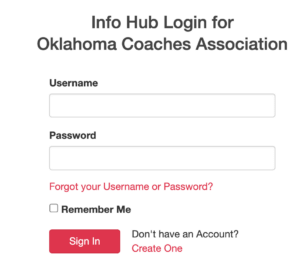
... you will next need to login to your MEMBERSHIP HUB from the home page of our website. Click on the MEMBER LOGIN link at the top-right of the page. Once you have logged in, you will have many different options for you to use.
See those options below.
Print written directions Video demonstration (coming soon!)
THE MEMBERSHIP HUB:
There are many different options for our members via the MEMBERSHIP HUB. (See image on the right.)
HOME - Posted announcements by the OCA.
MY INFO - This will be where members can enter their personal info, current school info, coaching history, and Guest Pass information (necessary for your Guest to receive their digital pass).
MY BILLING INFO - This will be where you can see the status of your membership. You can also pay for your membership at renewal time through this site.
MY DIRECTORY LISTINGS - One of the options to our paid member coaches is to provide contact information for all of the members of the OCA. (You can also turn OFF the option to have your information posted into the directory.)
MY SUBSCRIPTIONS - (Still a work in progress)
EVENTS - You can see a calendar of all of the events and postings of the OCA. This is beneficial around Clinic time!
ACTIVE MEMBER DIRECTORY - If you're needing an email or number for a coach, you can find it here. Just type in the name of the coach, and do your search!
RESOURCES - Links and Files that are shared with our members from the Oklahoma Coaches Association.
JOB BOARD - Members of the OCA can access this option to make job posts to be placed on the Jobs Board on our website. Please complete the information you want posted along with contact information for others to respond. (Note: Postings will be approved first by OCA Admin before being posted.)
GAMES NEEDED - Looking for a game to fill your schedule or to announce a tournament? You can use this option to post to the Games Needed page on our website. Please complete the information you want posted along with contact information for others to respond. (Note: Postings will be approved first by OCA Admin before being posted.)
These options speed up the process from those who have emailed the OCA office for these types of announcements in previous years.

How do I get my Digital Membership card for me and my guest?
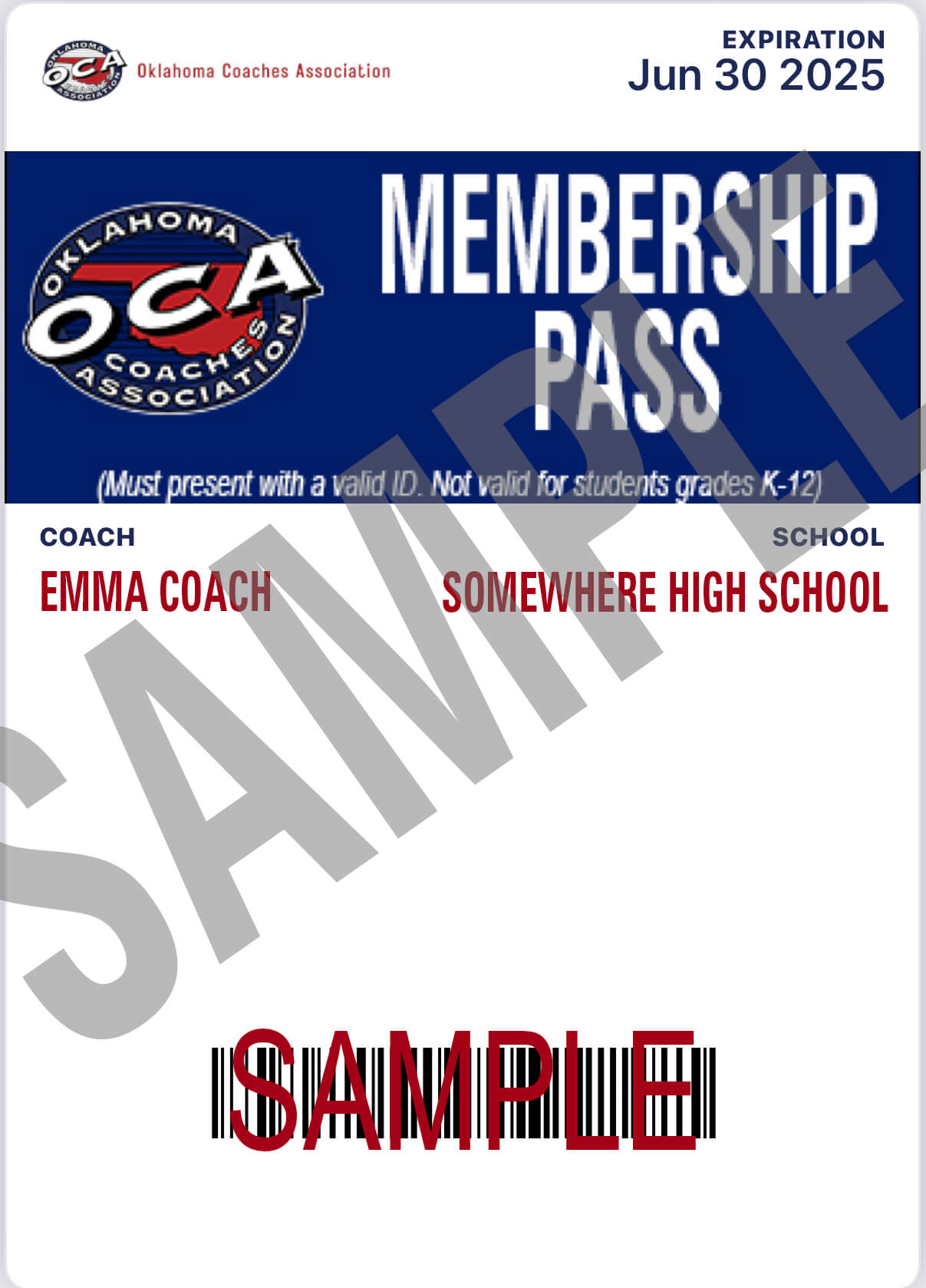
Members must first complete their information on their membership application.
Next, login and open your Membership Hub and add the your Guest Pass information into your "MY INFO" section.
Once all of the membership information has been entered, members should make sure that all of their contact and guest pass information in the Membership Hub is correct (PLEASE double-check email addresses).
The Member's Pass will be sent to the member's email address we have on file. Guest Passes will be sent to the guest's email that was entered by the member. (For Troubleshooting issues and problems of not getting cards, click here for more.)
Video demonstration (coming soon!)
FOR RETIRED MEMBERS ONLY... if you wish to have a hard-copy (paper) card, you must contact the OCA office and request that be sent to. you.
VERY IMPORTANT! Members need to know that Digital cards will not be sent out until their membership is paid in full!
This could be either by:
- The member paying for their fee themselves and paying with a credit card (and get reimbursed by their school or district, if available),
- Through a school Purchase Order. Just providing a PO number to the OCA office does NOT count as a "paid" membership. The OCA must receive the actual payment from the Districts/Schools before a member is considered "paid."
I didn't get my Digital Membership Pass (or my Guest's Pass), what can I do?
FOR MEMBER PASSES
- Make sure that the email you typed in, on your application or in your Membership Hub is spelled correctly.
- Check your SPAM folder (or TRASH folder) and search for the email. (Might type a search "Your New OCA Membership Card Has arrived!" if you want to find it quicker.)
- If your email is a school email, your district IT may be blocking the confirmation email coming to you. A quick 'fix' to this would be to go into your Membership Hub and change your primary email address to a personal email. You can still keep your school email as a secondary email, so that other coaches can still contact you at your school.
FOR GUEST PASSES
- Make sure that the email that was typed in by the OCA Member, has been spelled correctly. This is typically the biggest reason that guests don't get their pass.
- Check your SPAM folder (or TRASH folder) and search for the email. (Might type a search "Your New OCA Membership Card Has arrived!" if you want to find it quicker.)
- If the email provided is a school email, your district IT may be blocking the confirmation email coming to you. A quick 'fix' to this would be to have your member go into their Membership Hub and change your email address to a personal email.
If you have troubleshooted these steps and you are still having difficulty with receiving your pass(es), please complete the Contact Us form and we will get back with you.